
Checkers Pro
AI Factory LimitedBoard
4.670.00 Reviews
- Version
- 2.7
- Installs
- 10.00K
- Age Rating
- Everyone
Screenshots
Our Review of Checkers Pro
 Analysis by Appyee
I usually reach for a digital board game when I want something focused that I can play in short bursts, and checkers is a natural fit: familiar rules, but plenty of room to regret a careless move. Checkers Pro gives that simple premise a tidy home. My first impression is of a straightforward board-game app rather than a noisy arcade package; the emphasis is on getting into a match and thinking about the next move.
That makes it easiest to judge as a portable version of a classic, not as a sprawling game with a story to explore. The quiet, contained setting suits checkers: the board is the whole stage, and the pieces’ changing positions supply the drama. If you enjoy that kind of concentration, the modest presentation helps keep attention on the match. If you need a strong visual world or a stream of new activities to hold your interest, this is unlikely to be the right sort of game.
The Classic Game Reimagined
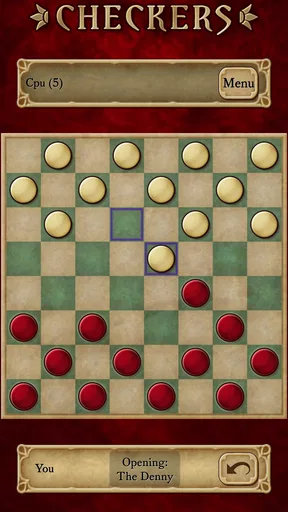
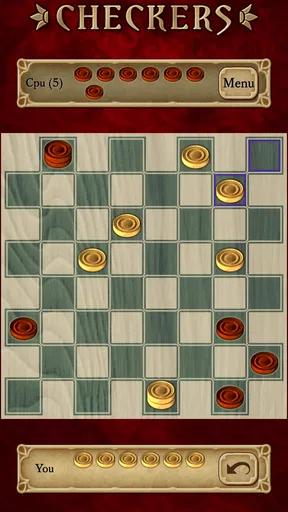
First things first, Checkers Pro stays true to the classic rules we all know and love. However, it spices things up with some sleek graphics and a smooth interface. The developers have clearly put effort into making the game visually appealing without overcomplicating it. The board is crisp, the pieces are easy to move, and the animations are smooth as butter.
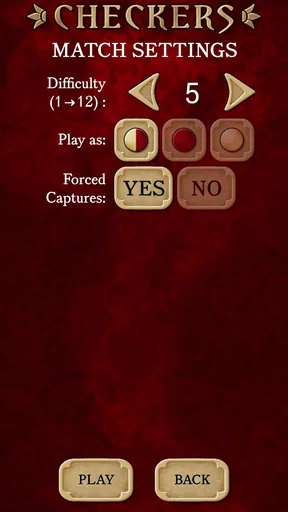
Once you fire up the app, you’re greeted with a warm, welcoming interface that’s intuitive to navigate. Whether you’re a newbie or a seasoned player, you’ll find your way around in no time. The app offers various difficulty levels, so whether you want a quick, easy match or a brain-teasing challenge, you’ve got options.
The presentation matters more in a checkers app than it might seem. A board that is easy to read lets me scan for threats without repeatedly checking which piece is where, and clear movement makes a quick session less fiddly. That clarity is especially useful on a phone: I can play while waiting for an appointment or during a quiet break, then return my attention to whatever comes next. It is a practical kind of polish, not decoration for its own sake.
AI Factory Limited is the developer behind this board game. Its overall rating is 4.6 from 503 ratings, and it has 10K+ installs. Those figures suggest a game with an established audience, although they cannot tell me whether its particular mix of presentation and play suits every checkers fan. It costs $4.99, carries an Everyone age rating, and version 2.7 requires Android 6.0 or later. I would consider the price against how often I expect to play: a person who returns to checkers regularly may value a focused paid game, while someone who only wants to try the rules once may prefer to compare free alternatives first.
Choosing a Match for Your Mood
The game’s advertised choice between twelve CPU difficulty levels and online opponents gives it two useful kinds of session. Playing the computer is convenient when I have a few spare minutes and do not want to coordinate with another person; an online match makes more sense when I want an opponent whose decisions are not simply another practice routine. The twelve levels also make it easier to adjust the challenge rather than treating every game as either a warm-up or a test.
A good way to use those options is to pick a level that makes you pause over a move, but does not turn every match into a punishment. After a loss, I would replay the moment where I gave up a piece or overlooked a capture rather than immediately raising the difficulty. That small habit makes the computer useful as a practice partner, not just an obstacle to beat. For a new player, lower pressure can make the rules easier to absorb; experienced players may prefer a tougher opponent when they want to test their discipline.
There is a trade-off in playing online: another person can make a match feel more unpredictable, but it depends on finding a time and opponent that suit you. I would choose the CPU for a short, dependable solo session and online play when I have time to give an opponent my attention. If I were looking for a social game built around chat, teams, or a large community layer, I would check that the available online experience meets that need before paying. The appeal here is the chance to play checkers against people, not a promise of a broader social platform.
Multiplayer Madness
One of my favorite features of Checkers Pro is the multiplayer mode. You can play against your friends or random opponents from around the world. It’s like having a global checkers community right at your fingertips! You just set up a match, and voila, you’re strategizing against someone halfway across the globe. The matchmaking is pretty quick, and I haven’t experienced any lag, which is a big win in my book.
If you’re more of a solo player, don’t worry. The single-player mode offers different levels of AI opponents. I tried them all, and let me tell you, the higher difficulty levels are no joke! They really make you think and plan your moves carefully.
Online play changes the rhythm of a familiar game. Against the CPU, I can choose a challenge and focus on improving at my own pace; against a person, I have to respond to a distinct style of play. That makes it a better fit for someone who already knows the basics and wants a less predictable opponent. For a complete beginner, I would start with solo matches until the rules and common traps feel comfortable, then move online when learning from varied play sounds appealing.
One everyday scenario where that split works well is a commute or lunch break. I can choose a quick solo game if I am not sure how much time I have, rather than beginning an online match that deserves more attention. If I have a relaxed evening, I can look for an online opponent and treat the match as the main activity. This is a small but useful distinction: the app supports different ways to play, but the player still has to choose the mode that fits the moment.
Personalizing the Board Without Losing Focus
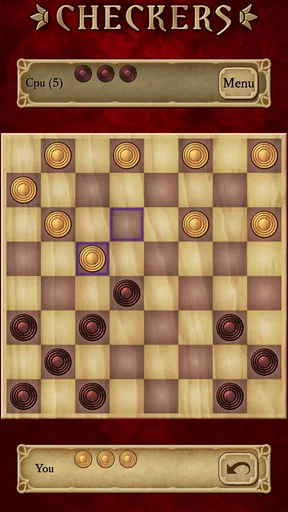
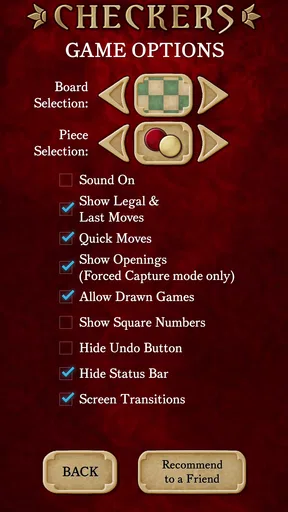
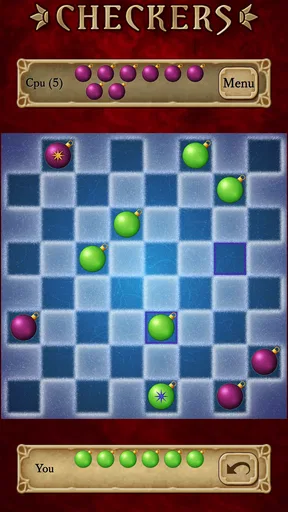
Another cool thing about Checkers Pro is the customization options. You can change the look of the board and pieces to suit your style. Whether you want a classic wood finish or something more modern, the choices are there. This might seem like a small detail, but it really adds a personal touch to the game.
Plus, there are themes you can unlock as you progress. It’s a fun little incentive that keeps you coming back for more. I found myself trying to win more games just to see what new themes I could unlock next.
Board appearance is not only a matter of taste. If a particular contrast helps me distinguish pieces quickly, I would choose that look over a theme that is prettier but harder to read. That is a worthwhile way to think about customization: use it to make the board comfortable to scan, especially during a longer match, rather than treating every option as a collectible. Unlockable themes may add a modest reason to keep playing, but they are not a substitute for enjoying the actual decisions on the board.
Compared with a physical set, a phone game is easier to carry and does not need another player sitting beside me when I choose the CPU. A physical board remains better for face-to-face play, gestures, and conversation around the table. Compared with a free checkers app, the important question is whether this one’s presentation, adjustable computer challenge, and online option are worth its price to you. I would not choose it for elaborate progression or a broad catalogue of board games; its value is in keeping checkers itself accessible.
Tools for Learning and Keeping Your Bearings
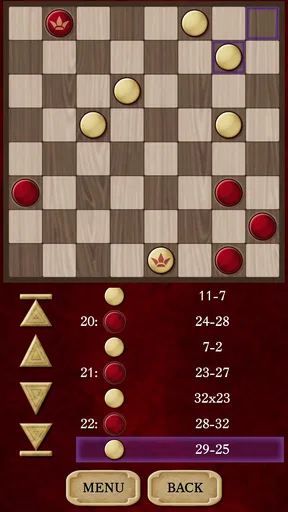
The app also comes with handy features like an undo button, which, let’s be honest, is a lifesaver when you accidentally make a wrong move. There’s also a move suggestion feature if you’re feeling stuck. While I like to rely on my own instincts, it’s nice to have a little nudge in the right direction when needed.
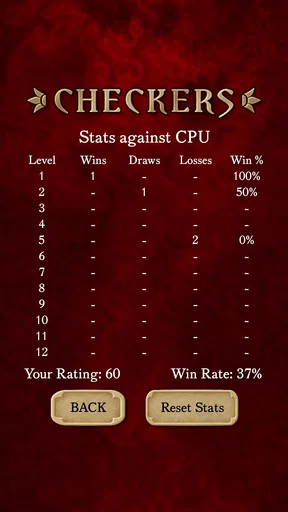
And for those who love tracking their progress, there’s a stats section where you can see your win/loss ratio, longest winning streak, and more. It’s a great way to see how you’re improving over time.
I would use undo as a learning aid, not an automatic escape from every mistake. When I make an unexpected move, taking it back once and checking the alternative can show whether I misunderstood a threat or simply chose a risky line. A move suggestion can serve the same purpose when a position feels stuck: I would look at the suggested idea, then try to understand what it protects or threatens before using it. Leaning on hints every turn may make a win less informative, so these tools are most useful when they support reflection.
The stats can help me notice patterns, but a win-loss record is only a broad measure. A streak can be satisfying, yet it does not explain whether I am improving at spotting captures or avoiding traps. I would pair the numbers with a quick mental review after a close game: what did I miss, and what would I do differently next time? That makes the tracking more valuable than simply checking whether the total moved up.
Sound and pacing also matter in a game built around deliberate turns. There is no need for a rapid-fire stream of events; the satisfaction comes from considering a move and seeing how the position changes. I find that a clean, unhurried presentation suits this better than an overbearing arcade style would. If you want a lively soundtrack or a rich fictional setting, checkers is naturally spare, and this app’s appeal is the concentration its board invites rather than a dramatic audio landscape.
Who Will Enjoy This Kind of Checkers?
I would recommend it to someone who already likes checkers, wants a portable way to play, and values both computer practice and the option of online opponents. It also makes sense for a beginner who is willing to learn by playing gradually, especially with adjustable CPU difficulty and optional hints. The Everyone rating makes its age classification broad, but a younger player’s enjoyment will still depend on whether they like turn-based thinking and can follow the rules.
I would skip it if I wanted a collection of different board games, a narrative campaign, or a heavily social experience. It may also be a poor fit if I only play checkers rarely and do not want to pay for a dedicated game. In those cases, a physical set, a free alternative, or a broader board-game app may offer better value. Likewise, a player who finds careful, quiet matches slow rather than satisfying is unlikely to be won over by a polished board.
Final Thoughts
Overall, Checkers Pro is a fantastic app for both casual players and checkers aficionados. It does a great job of bringing the classic game to the digital age with its clean design and user-friendly features. Whether you’re playing solo or challenging friends, it offers a seamless experience that keeps you coming back for more.
So, if you’re in the mood for some strategic fun without the hassle of setting up a physical board, give Checkers Pro a try. It’s available for both Android and iOS, and I promise, you won’t regret it. Happy playing!
Verdict
Strengths of Checkers Pro
- Intuitive interface for easy gameplay.
- Multiple difficulty levels to choose from.
- Offline mode available for practice.
- Customizable board and piece designs.
- Supports multiplayer for global challenges.
Limitations of Checkers Pro
- Requires internet for leaderboard access.
- Contains ads that can interrupt play.
- No option for voice chat in multiplayer.
- Limited tutorials for beginners.
- Occasional lag on older devices.
Other Releases by AI Factory Limited
View All


Similar Picks in This Category
View All
Ludo King®
Gametion4.1

Ludo
Yarsa Games4.6

Tile Master® - Matching Game
Higgs Studio3.6

Checkers Online
CC Games4.6

Dominoes
Loop Games4.7

Chess
Chess Prince4.6
Frequently Asked Questions
What features does Checkers Pro offer?
Checkers Pro offers a variety of features to enhance your playing experience. It includes multiple difficulty levels for beginners to advanced players, a sleek and intuitive interface, customizable board themes, and an online multiplayer mode. Additionally, it provides tutorials and tips for improving your skills, making it suitable for players of all levels.
Is Checkers Pro available for both Android and iOS devices?
Yes, Checkers Pro is available for both Android and iOS platforms. You can easily download it from the Google Play Store for Android devices and the Apple App Store for iOS devices. The app is optimized to deliver a smooth gaming experience on both mobile operating systems.
Does Checkers Pro require an internet connection to play?
Checkers Pro can be played both online and offline. While an internet connection is required for the multiplayer mode to connect with players worldwide, you can enjoy the single-player mode without any internet connection. This makes it convenient for users who want to play on the go.
Are there any in-app purchases in Checkers Pro?
Checkers Pro does offer in-app purchases. While the basic version is free, there are optional purchases available for premium features such as additional themes, ad-free gameplay, and advanced levels. However, these are not necessary to enjoy the core gameplay experience.
How user-friendly is the interface of Checkers Pro?
Checkers Pro is designed with a user-friendly interface that caters to both new and experienced players. The controls are intuitive, and the menus are easy to navigate. Players can quickly customize their gaming experience and access tutorials, making it straightforward to start a game or improve their skills.
Play our best games!


